
How to Choose a Dell PowerEdge R760xa GPU Server in 2026?
Choosing a Dell PowerEdge R760xa GPU Server in 2026 starts with the work it must perform, not the largest GPU count on a product sheet. AI training, inference, simulation, and rendering place different demands on accelerators, memory, storage, and network bandwidth. The R760xa is a 2U platform, so rack space is only part of the calculation. Power draw, cooling capacity, airflow, and the weight of installed components matter too. A hot aisle with limited cooling can turn an impressive configuration into an operational headache. Small details count.
NVIDIA CEO Jensen Huang has described AI as “the most powerful technology force of our time.” That context makes careful server planning more important, not less. Compare the exact GPU options, supported power supplies, CPU choices, memory capacity, and networking available in your region. Then match them against your software requirements and data-center limits. Ask Dell or an authorized partner to confirm compatibility in writing; configurations can differ, and specifications may change. Don’t assume a familiar model name guarantees the same build. This guide will help you assess workload fit, configuration trade-offs, deployment costs, and room for future growth. It cannot replace workload testing. That part is easy to underestimate.
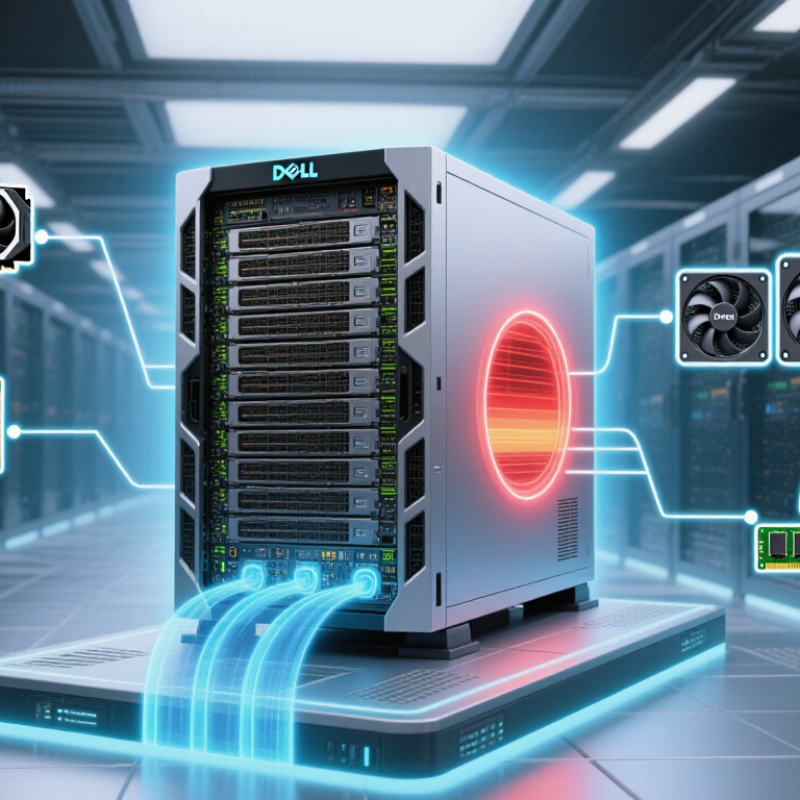
Identify Workloads and GPU Computing Requirements
Begin with the workload, not the GPU count. Separate model training, fine-tuning, and inference; each stresses hardware differently. Training large models demands GPU memory, fast interconnects, and sustained throughput. Inference planning depends more on response time, request volume, and concurrent users. Measure a representative workload: record model size, input length, batch size, and peak memory use. Measure before ordering.
For training, estimate whether the full model and working data fit in GPU memory, including room for activations and checkpoints. If they do not, account for parallel processing and its communication overhead. Stanford’s 2024 AI Index reports that training compute for notable AI models has doubled about every five months. That trend is a warning, not a sizing formula. Your own model may grow more slowly—or not.
For inference, test realistic traffic, including busy periods and longer prompts. Note response-time targets and how many requests must run at once. Then check storage speed, network capacity, and rack power alongside GPU performance. The International Energy Agency’s Electricity 2024 report estimates data-centre electricity use at about 415 TWh in 2024, potentially rising to 945 TWh by 2030. That figure covers data centres broadly, not one server. Still, it makes power and cooling part of workload planning. A spreadsheet can miss an awkward detail: one oversized model may determine the whole configuration.
How to Choose a GPU Server in 2026? — Identify Workloads and GPU Computing Requirements
Start with the workload, model or dataset size, and expected throughput. The ranges below are planning guidelines, not fixed requirements; actual needs depend on software, precision, batching, concurrency, and data pipeline design.
| Workload | GPU Computing Requirements | GPU Memory Planning | Host System Considerations | What to Validate Before Selection |
|---|---|---|---|---|
| AI inference and model serving | Prioritize inference throughput, supported numeric precisions, and low-latency execution. Multiple GPUs can help serve independent requests or larger models, depending on the serving framework. | Allow room for model weights, runtime overhead, and the key-value cache used by many generative models. Larger models, longer contexts, and higher concurrency increase memory use. | Fast CPU-to-GPU data movement, sufficient system memory, and high-speed networking for distributed serving or shared storage. | Measure tokens or predictions per second at the intended context length, batch size, and concurrent-user target. Include startup time and latency percentiles. |
| Model fine-tuning | Use GPU acceleration supported by the training framework. Parameter-efficient methods can reduce memory needs; full fine-tuning generally requires more compute and memory. | Plan for model weights, gradients, optimizer states, activations, and temporary workspace. Mixed precision, gradient checkpointing, and optimizer choices can change requirements substantially. | High CPU memory capacity for input pipelines, fast local storage for datasets and checkpoints, and enough PCIe connectivity for the chosen accelerator count. | Run a representative training step and verify that the complete model, sequence length, batch size, and optimizer fit without memory errors. |
| Large-scale distributed training | Consider multiple accelerators per server and scale-out communication between servers. Performance depends on both compute throughput and communication efficiency. | Choose memory capacity according to model size, partitioning strategy, activation storage, and per-GPU batch size. Sharding can distribute some memory demands but adds communication overhead. | Plan for accelerator-to-accelerator links, server-to-server bandwidth, CPU feeding capacity, cooling, and sustained power delivery at the intended load. | Benchmark scaling efficiency across the planned number of GPUs and servers. Confirm that the interconnect and communication libraries are supported by the training stack. |
| Computer vision and image processing | GPU acceleration benefits training and many inference pipelines. Throughput depends on image resolution, model architecture, augmentation, and batch size. | Account for model state and intermediate activations; high-resolution images and large batches can increase activation memory quickly. | Fast storage and CPU resources help decode, augment, and supply image data. Network capacity matters when datasets are remote or shared. | Test with real image sizes and preprocessing steps. Check that the data loader keeps the GPU occupied rather than becoming the bottleneck. |
| Scientific computing and simulation | Confirm that the application supports GPU acceleration and the required parallel programming model. Some simulations are limited by memory bandwidth or precision requirements. | Estimate memory from the largest problem domain, solver workspace, and replicated data. Capacity needs vary widely by simulation type and mesh size. | Consider CPU core count, memory bandwidth, system RAM, storage throughput, and supported GPU communication paths. | Benchmark the actual application and problem size. Verify numerical accuracy, software compatibility, and performance across one and multiple GPUs. |
| Rendering, visualization, and media processing | Check application support for GPU rendering, encoding, decoding, and the desired number of concurrent jobs. Performance varies by scene complexity and media format. | Scene geometry, textures, frame resolution, and concurrent tasks determine memory use. Keep headroom for application and driver overhead. | High-capacity storage supports project files and render output. CPU resources may be needed for scene preparation, compositing, and encoding workflows. | Test representative scenes or clips, including the target resolution, codec, effects, and concurrency. Confirm the application’s supported hardware features. |
| Virtual GPU and multi-tenant workloads | Evaluate workload isolation, supported virtualization features, and the number of simultaneous users or virtual machines. Sharing policies affect performance predictability. | Budget memory per workload and include reserved capacity for the host, virtualization layer, and bursts in user demand. | Plan for adequate CPU and RAM per tenant, secure management, storage isolation, and network capacity for all active sessions. | Verify software licensing and compatibility separately. Test isolation, fairness, peak concurrency, and performance under mixed workloads. |
| Data preparation and CPU-heavy pipelines | A large GPU may not improve performance if data cleaning, decompression, tokenization, or feature generation is the limiting step. | GPU memory may be a secondary concern if most processing is performed on the CPU; size it for the accelerated stages of the pipeline. | Prioritize CPU cores, system RAM, and storage throughput. Use fast data paths to avoid starving the GPU during training or inference. | Profile each pipeline stage independently and compare end-to-end throughput, not only GPU utilization or peak accelerator specifications. |
Selection checklist: Define the target workload and service level; estimate peak GPU memory; confirm software and framework support; check accelerator count, interconnect, power, and cooling limits; then benchmark with representative data. Leave capacity for future growth and operational overhead.