| Retrofit Smart Lock | Homes or apartments where the existing exterior lock and keys should remain unchanged. | Usually mounts over the interior thumb-turn; compatibility depends on the existing cylinder, backset, and lock geometry. | Battery-powered; commonly uses replaceable AA, AAA, or coin-cell batteries depending on design. | Mobile appBluetoothKeyVoice assistant | Fast installation, preserves the outside appearance, and can retain existing physical keys. | Compatibility checks are essential; some models cannot operate certain deadbolts or multipoint locks. |
| Full-Replacement Deadbolt | Single-family homes and exterior doors requiring a complete smart deadbolt upgrade. | Replaces the interior and exterior deadbolt components; requires a compatible door bore, backset, and door thickness. | Usually battery-powered with replaceable AA or AAA cells. | PIN codeAppKeyFingerprint | Broad feature selection, strong keypad availability, and straightforward user management. | May require drilling or door adjustment; the exterior hardware and key cylinder are replaced. |
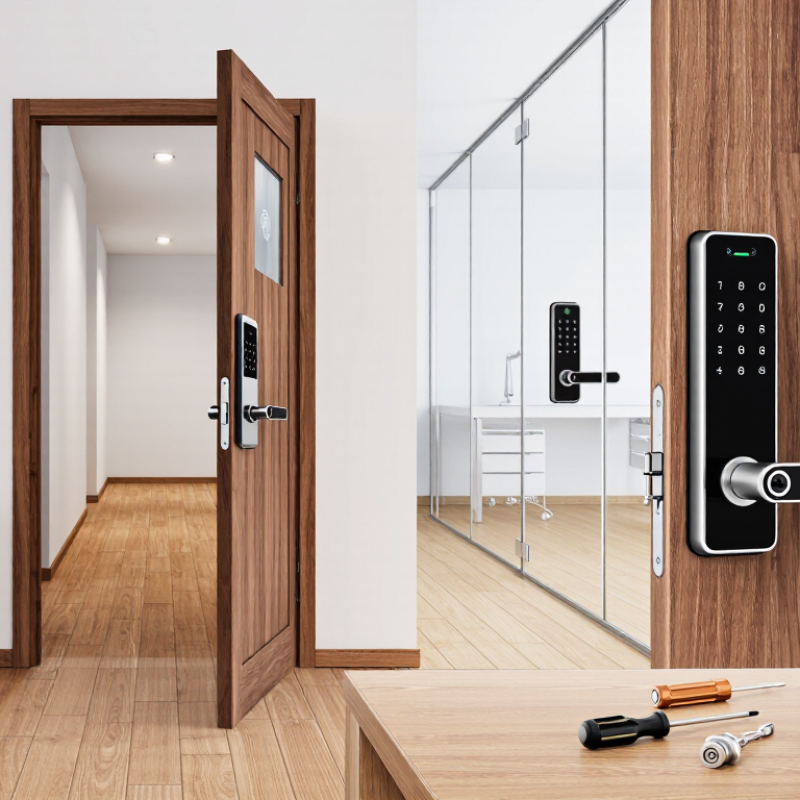
| Smart Lever or Handle Lock | Interior doors, offices, bedrooms, utility rooms, and doors that do not use a deadbolt. | Replaces a lever or knob lock; requires the correct latch dimensions and door preparation. | Battery-powered; battery life varies with usage, connectivity, and access features. | PIN codeAppFingerprintKey | Convenient for non-deadbolt doors and often provides integrated handle operation. | Generally less suitable for high-security exterior doors; not all models support deadlatching or multipoint hardware. |
| Smart Mortise Lock | Commercial buildings, hotels, offices, and doors already fitted with mortise lock cases. | Requires a compatible mortise case, door cutout, spindle position, and handle configuration; professional installation is often advisable. | Battery-powered; some commercial systems also support wired power or emergency power input. | RFID cardPIN codeAppFingerprint | Can combine latch, deadbolt, handle, and access control in one integrated unit. | Higher cost and more complex installation; compatibility is highly dependent on the existing door hardware. |
| Smart Multipoint Lock | Modern residential doors with multipoint locking mechanisms, especially exterior and patio doors. | Must match the existing multipoint gearbox, handle position, lock case, door profile, and cylinder dimensions. | Battery-powered or wired, depending on the system and door configuration. | AppPIN codeKeyRemote control | Maintains multiple locking points and can improve convenience without eliminating the door’s primary security design. | One of the most compatibility-sensitive categories; professional measurement and installation may be required. |
| Smart Padlock | Gates, storage units, lockers, equipment, and temporary access applications. | No door modification is normally required; shackle size and clearance must fit the hasp or locking point. | Usually a replaceable or rechargeable battery; some designs provide emergency charging. | BluetoothAppFingerprintKeypad | Portable, easy to deploy, and useful for granting time-limited or activity-tracked access. | Exposure to rain, dust, impact, and extreme temperatures can affect performance; security depends on the hasp and surrounding hardware. |
| Key Features to Compare Before Purchase |
| Feature | What It Does | Best Use Case | Typical Benefit | Potential Concern | Priority |
| PIN Keypad | Allows entry using a numerical code instead of a physical key or phone. | Families, rental properties, offices, and frequent visitors. | Convenient, shareable, and usable when a phone is unavailable. | Codes must be managed carefully; visible wear can reveal frequently used digits. | High for most exterior doors |
| Fingerprint Reader | Authenticates a user using a registered fingerprint. | Households or workplaces needing quick, keyless entry. | Fast access without carrying a key, card, or phone. | Performance can be affected by wet, dirty, damaged, or very dry fingers. | Medium to high |
| Remote Access | Allows an authorized user to lock, unlock, or manage access from another location. | Property managers, deliveries, caregivers, and vacation rentals. | Enables remote unlocking, event records, and temporary permissions. | Usually requires an internet-connected hub or built-in Wi-Fi; depends on network and cloud availability. | High for remote management |
| Auto-Lock | Locks the door automatically after a configured delay or when a closing sensor detects the door. | Busy households, offices, and security-focused installations. | Reduces the chance of accidentally leaving the door unlocked. | May lock people out if configured without a reliable backup access method. | High |
| Door Position Sensor | Reports whether the door is open or closed, separately from whether it is locked. | Homes with children, pets, deliveries, or strict access monitoring. | Helps distinguish an unlocked door from a door that is not fully closed. | Requires correct sensor alignment and may need an additional battery. | Medium to high |
| Activity Log | Records locking, unlocking, user identity, and access time where supported. | Offices, rentals, shared homes, and compliance-sensitive facilities. | Improves accountability and helps investigate access events. | Data retention, privacy, and cloud-storage policies should be reviewed. | High for shared access |
| Emergency Power | Provides temporary external power when the internal batteries are depleted. | All exterior doors, especially doors without a mechanical key override. | Reduces the risk of lockout caused by depleted batteries. | Requires access to a compatible power bank, cable, or external contacts. | Essential backup feature |
| Mechanical Key Override | Provides a conventional key path if electronics or batteries fail. | Primary entrances and locations where fail-safe access is important. | Provides an independent backup access method. | Keys can be lost, copied, or used without appearing in a digital activity log. | Recommended |
| Access Method Comparison |
| Access Method | Requires Phone? | Works Without Internet? | Sharing Convenience | Auditability | Typical Security Consideration | Recommended For |
| Physical Key | No | Yes | Low; duplicate keys or handovers are needed. | Low unless separately recorded. | Lost or copied keys may remain active until the cylinder is rekeyed or replaced. | Backup access and users who prefer traditional operation. |
| PIN Code | No | Usually yes | High; many locks support unique, temporary, or scheduled codes. | Medium to high, depending on event logging. | Codes should not be reused, shared publicly, or displayed where they can be observed. | Families, rentals, offices, and service access. |
| Fingerprint | No | Usually yes | Medium; each user must register a fingerprint locally or through an app. | Medium to high when user identities are logged. | Recognition may vary with finger condition, sensor cleanliness, and environmental exposure. | Frequent users who want fast hands-free entry. |
| Bluetooth Phone | Yes | Usually yes for local unlocking | High for invited users with compatible phones. | Medium to high, depending on the application. | Phone battery, Bluetooth permissions, and proximity settings affect usability. | Personal residential access and users who carry a phone regularly. |
| Wi-Fi or Internet Remote Access | Usually managed by phone, web, or connected system. | No; remote functions require an internet connection. | Very high; permissions can often be scheduled and revoked remotely. | High, subject to account and system configuration. | Requires secure passwords, software updates, reliable connectivity, and trusted accounts. | Property management, deliveries, rentals, and remote monitoring. |
| RFID or NFC Card | No | Yes for local verification | High in offices, hotels, and managed buildings. | High when cards are individually assigned and logged. | Lost cards should be deactivated promptly; card security depends on the credential technology. | Commercial buildings, hospitality, and institutional access. |
| Voice Assistant | Usually yes through a connected account or smart-home system. | No for cloud-based remote commands. | Medium; access is generally tied to approved household accounts. | Medium; command history may be available through the connected platform. | Unlock commands may require an additional PIN or may be disabled for security. | Smart-home users seeking hands-free status checks or locking. |
| Selection Guidance by Requirement |
| Requirement | Most Suitable Solution | Recommended Access Methods | Important Features | Why It Fits |
| Keep the existing exterior key and hardware | Retrofit smart lock | Existing key, Bluetooth, app | Compatibility checker, auto-lock, battery warning, emergency backup | Provides smart operation while minimizing visible changes and installation work. |
| Frequent family access without carrying keys | Keypad deadbolt or smart lever | PIN codes, fingerprint, app | Multiple user profiles, temporary codes, activity log, mechanical override | Different household members can use individual credentials that can be changed or removed. |
| Short-term rental or guest access | Connected keypad lock | Scheduled PIN codes, remote app access | Time limits, remote management, audit trail, low-battery alerts | Guests can receive access without physical key handovers, while permissions can expire automatically. |
| Office or commercial facility | Smart mortise lock or managed access-control lock | RFID cards, PIN codes, mobile credentials | Central administration, user groups, event logs, emergency egress, durable hardware | Supports larger user populations and more structured access policies than a basic residential lock. |
| Door with an existing multipoint mechanism | Compatible smart multipoint lock | App, PIN code, mechanical key | Precise hardware measurement, door-position sensing, manual override, professional installation | Preserves the door’s multiple locking points while adding electronic control. |
| Outdoor gate, locker, or storage unit | Weather-resistant smart padlock | Bluetooth, fingerprint, keypad | Weather resistance, rugged shackle, battery alerts, emergency power | Can be installed without modifying the door and moved between compatible locking points. |