What Are the Top 10 Wireless Barcode Scanners?
Choosing a Wireless Barcode Scanner is not just about speed. It is about matching the device to the workbench, aisle, checkout, or loading dock. A scanner that performs well at a clean retail counter may struggle with glare, long drops, or a crowded warehouse floor. Small details matter: scan range, battery life, pairing stability, and comfort during a full shift.
Warehouse-systems consultant Maya Chen puts the buying principle simply: “A scanner earns its place when it reads reliably where the work actually happens.” That is a useful test, though no single model suits every operation. This guide compares ten wireless barcode scanners by practical factors, including Bluetooth range, supported barcode types, charging options, durability, and ease of setup. We also consider whether each model works well with common computers, tablets, and point-of-sale systems. Check compatibility before buying. A promising spec sheet cannot fix a pairing problem.
The list is designed for buyers who need clear trade-offs, not inflated claims. Some scanners favor a light grip and quick checkout. Others are built for repeated warehouse use and longer scanning distances. Price matters, but so do replacement batteries and charging cradles. One caveat: published range figures can change with obstacles and device settings. Real conditions are messy. Use the comparisons as a shortlist, then test your leading choice with your own labels, software, and daily workflow.
How Wireless Barcode Scanners Work
What Are the Top 10 Wireless Barcode Scanners?
How Wireless Barcode Scanners Work
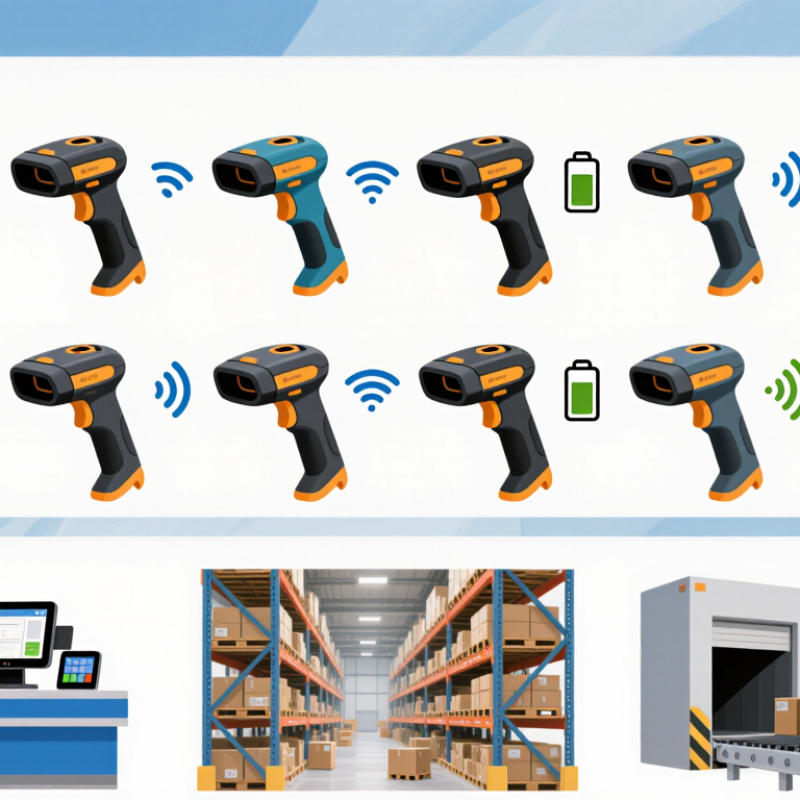
A wireless barcode scanner captures reflected light from a barcode and turns its pattern into digital data. A built-in decoder reads that data, then sends it to a computer, tablet, or register through a wireless connection. Many models use Bluetooth or a small receiver plugged into the host device. The scan usually appears in the active text field, much like typed characters. That matters. If the cursor is in the wrong field, accurate scans can still create messy records.
Some scanners send each scan immediately; others can store scans temporarily when the connection drops. Wireless range depends on the scanner, obstacles, and nearby radio activity, so a printed range is not a guarantee for every workspace. Battery life, charging routines, and pairing settings also affect daily use. In practice, setup can be less tidy than the instructions suggest. Test it in the actual aisle, not just at a desk.
Tips: Pair the scanner before a busy shift, then scan labels at the farthest working point. Check that each result lands in the correct field. Keep a charging spot easy to reach, and test recovery after a brief connection loss. Small checks prevent frustrating errors.
What Are the Top 10 Wireless Barcode Scanners? — How Wireless Barcode Scanners Work
Bluetooth device-class range gives a useful reference for understanding how far a scanner’s wireless link may reach.
After decoding a barcode, a wireless scanner sends the data to a paired host over a radio link. Bluetooth device classes have theoretical ranges of up to 100 m (Class 1), 10 m (Class 2), and 1 m (Class 3). Actual scanner range varies with the device, obstacles, and radio interference; these figures are not a ranking of scanner models.
Which Features Matter When Comparing Wireless Barcode Scanners?
When comparing wireless barcode scanners, look beyond advertised scan speed. Test the actual codes your team handles: tiny labels, glossy packaging, and damaged prints behave differently. A reliable imager should read both one-dimensional and two-dimensional codes, then give clear feedback through a beep, light, or vibration. Small detail. It matters in a noisy aisle.
Range and connection stability matter too. Check how the scanner behaves around metal shelving, busy access points, and the far end of the work area. Bluetooth SIG’s 2024 Market Update forecast more than seven billion Bluetooth device shipments annually by 2028, underscoring the need to verify device compatibility rather than assume it. Also compare battery life across a real shift, charging time, replacement-battery options, and how easily the scanner pairs with existing terminals. A published range rating rarely tells the whole story.
Durability should match the setting: a warehouse floor needs better drop and dust resistance than a quiet counter. MHI’s 2024 Annual Industry Report found 55% of surveyed supply-chain leaders planned to adopt robotics and automation within five years. That makes integration worth checking: can the scanner send data cleanly into your inventory workflow? Ask for a trial with your own labels. One caveat: lab tests may not reflect a crowded shift, and no single model fits every task.
What Are the Top 10 Wireless Barcode Scanners?
The top 10 wireless barcode scanner choices are best understood as scanner types, not a universal ranking. A compact 1D model suits printed product codes. A 2D handheld scanner reads QR codes and labels from phone screens. A presentation scanner works well at a checkout counter. A ring scanner keeps both hands free for picking. A wearable scanner supports repeated scans in busy warehouses.
A rugged handheld model is built for dusty floors and occasional drops. A long-range scanner helps read labels on high shelves. A Bluetooth scanner offers flexible movement around a workstation. A model with multiple connection options can adapt to different systems. A scanner with batch memory stores scans when a live connection is unavailable. Check battery life, charging time, range, and compatibility before choosing. Small details matter.
In practice, a comfortable grip and reliable connection can matter more than a long feature list. Test the scanner with your actual labels, lighting, and work distance. A glossy label may scan differently from a matte one. So can a damaged barcode. Not every setup fits. One limitation is easy to overlook: wireless range often drops around metal shelving or crowded equipment. A short workplace trial can reveal that before routine use.
How Do the Top Models Differ by Use Case?
The top ten wireless barcode scanners are best compared by the work they must handle, not by a single ranking. In a small shop, a lightweight Bluetooth model can pair with a tablet and scan items across a counter. Battery life and a comfortable grip matter during long shifts. Simple is useful.
For warehouse aisles, prioritize a rugged housing, reliable reads under uneven lighting, and a connection that remains stable at working distance. A long-range model may help with high shelves, but it can feel bulky at a packing bench. Two-dimensional scanning also reads more than traditional linear codes, which can suit mixed inventory. Check compatibility with your stock software before choosing.
In clinics or busy service areas, quiet operation, easy cleaning, and quick pairing may matter more than maximum range. A presentation-style scanner can keep hands free at a fixed workstation; a handheld unit gives staff more mobility. There is no perfect all-purpose choice. I would test shortlisted models with the actual labels, devices, and shift length: glossy packaging and worn labels can behave differently from a clean sample. Manufacturer range claims are useful starting points, not guarantees for every room.
How to Choose a Wireless Barcode Scanner for Your Needs
What Are the Top 10 Wireless Barcode Scanners?
How to Choose a Wireless Barcode Scanner for Your Needs
Choose a scanner for the task, not for a feature list. A cashier scanning close-range labels needs different ergonomics from a worker reading cartons across a packing bench. Check whether it reads the barcode types you use, including small, damaged, or low-contrast labels. Then test its wireless range in the actual work area: metal shelving and busy networks can interrupt connections. Fit matters more.
Battery life should cover a full shift, with room for heavy scanning and aging batteries. Consider grip comfort, scanner weight, drop resistance, and whether workers can replace or charge batteries without disrupting work.
MHI’s 2024 Annual Industry Report found that 55% of respondents planned to increase investment in supply-chain technology and innovation. That figure reflects wider investment plans, not a guaranteed return from any scanner. Test it live.
Before purchasing, scan your own labels under real lighting, including glare from shrink wrap and dim corners. Confirm the scanner works with your inventory or point-of-sale software, and check how many devices can pair and be managed. Ask about warranty terms, repair turnaround, and security updates. A short trial with several workers often reveals awkward grips or missed scans that a specification sheet won’t. It is easy to overlook training time.